Edit S
Precision editing
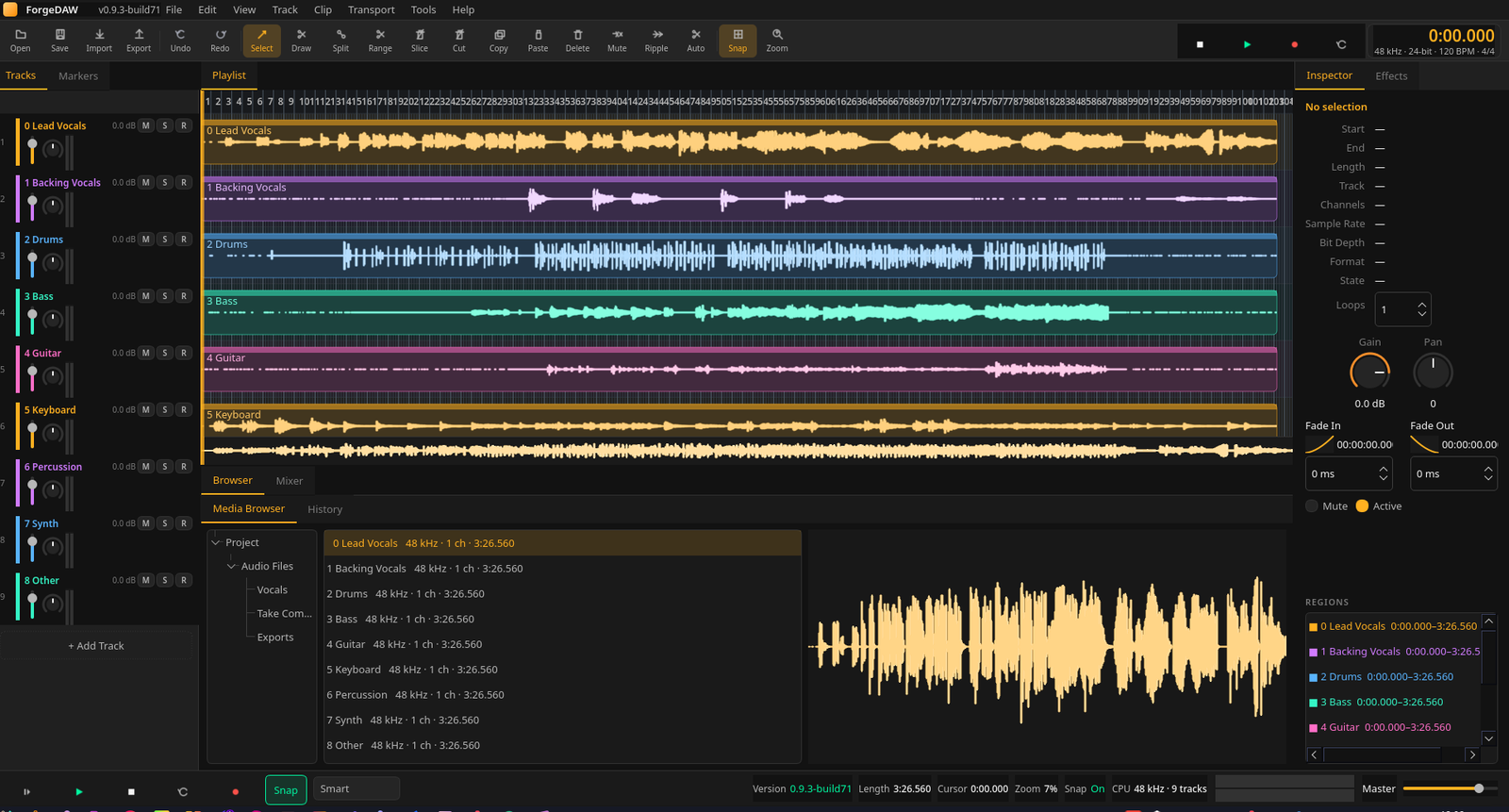
Split, slice, copy/paste sections, fade, and crossfade with snap-to-grid. Clip gain envelopes and a deep sample editor keep the waveform front and center.
REC 00:00:00.000 — EARLY ACCESS
ForgeDAW is a professional digital audio workstation built natively for Linux. Edit vocals with surgical precision, repair takes with the Vocal Naturalizer, mix with ForgeMaster and Mix Doctor — then bounce WAV or MP3.
01 / The toolkit
From first take to final bounce — editing, recording, comping, and mixing in a workflow that stays out of your way.
Edit S
Split, slice, copy/paste sections, fade, and crossfade with snap-to-grid. Clip gain envelopes and a deep sample editor keep the waveform front and center.
Vocal N
Detect register, pitch, and artifacts — then repair with DSP or learn from a clean reference take. Spectral view, pencil draw, and Megaphone FX built in.
Master
LUFS, true peak, spectral balance, and masking analysis against streaming, broadcast, and podcast profiles — then apply a Streaming Master chain in one click.
FX Rack
Rotary modules with live transfer curves, a six-band equalizer graph (three-band DSP active today), post-fader sends, plus Mix Doctor for gain staging.
02 / The interface
Dark, calm, and uncluttered. Instant feedback, keyboard-first editing, and a UI that respects your focus.
No visual noise. No hunting through menus. Just your audio and the tools that matter.
03 / The session
A production flow that mirrors how vocal sessions actually happen.
Drop in WAV files, drag folders onto the timeline, or record fresh takes. Tempo from loop filenames is detected on import.
Trim, split, slice, crossfade, and arrange regions with sample-accurate control.
Loop-record multiple passes and promote the keeper take in one click.
Bounce stereo WAV or 320 kbps MP3 — offline render uses the same engine as playback.
Download ForgeDAW for Linux and start editing today. Free and open source.
Get ForgeDAW